Nordstrom PIM Complex Maintenance
Designing core PIM maintenances taskflows
OVERVIEW
WHAT IS RETAIL HUB?
A Nordstrom enterprise platform that is a hub-and-spoke model that offers Brand Specialists and Merch Analysts access to a wide variety of applications that help them plan item inventory/purchase orders, evaluate item sales, and maintain item information.
ITEM MANAGEMENT APPLICATION
The Problem: Brand Specialists/Merch Analysts are responsible for maintaining the integrity of ALL product information at Nordstrom. Today, that is done manually through Excel and in an outdated item management program. My responsibility is to design a new workflow experience for these 4 complex maintenance tasks:
Reclass
UPC Reassignment
Casepacks - Descoped, but created concepts for it
Style Group Management - Descoped
The Process: Partnered with Business Process Analysts to understand business process flows, create user flows, explore different concepts with low-fidelity wireframes, partner with UX team on design pattern discussion and definition, built several prototypes for usability testing. At the end of the project, PM’s and business partners descoped Casepacks and Style Group Management.
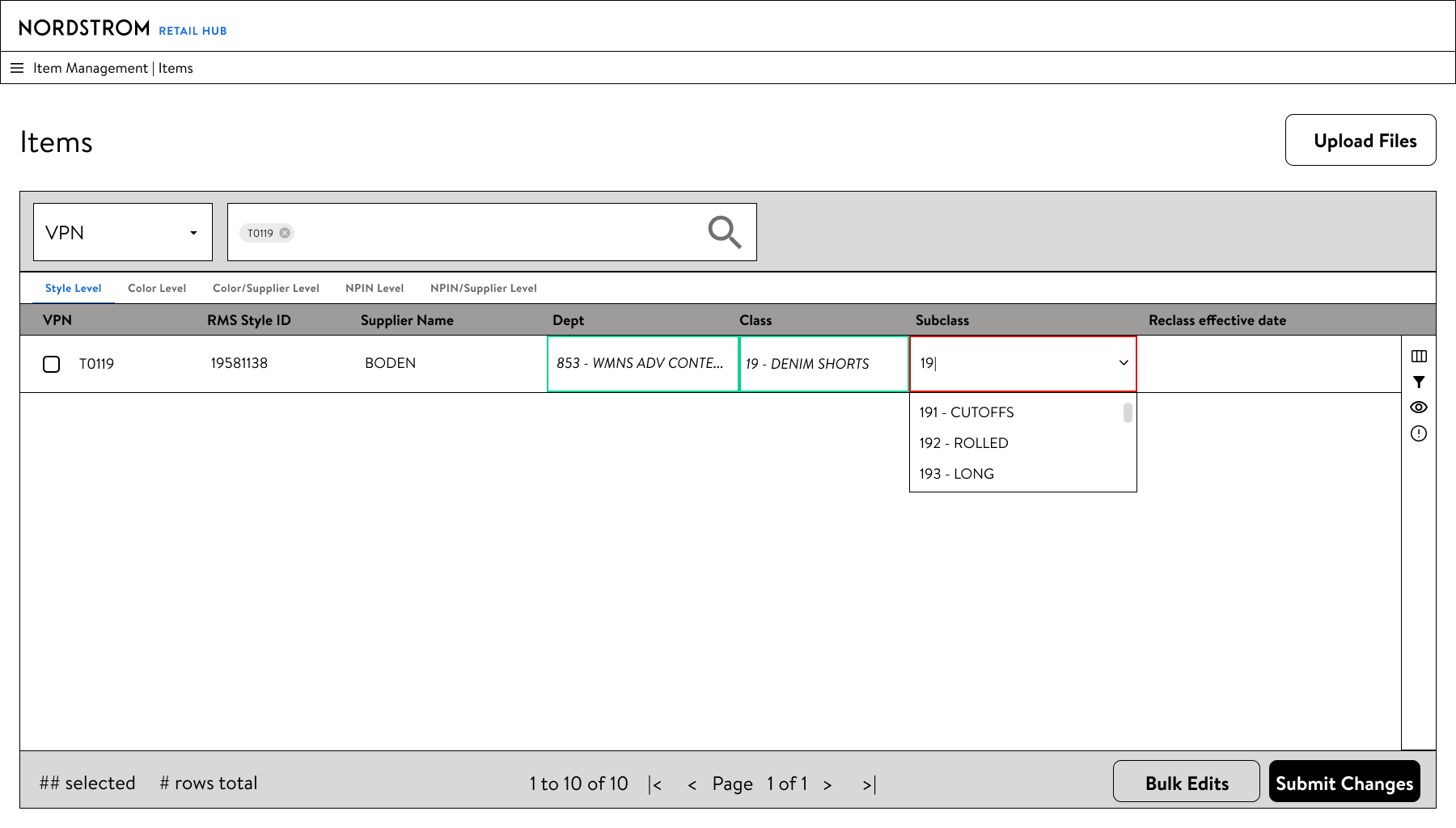
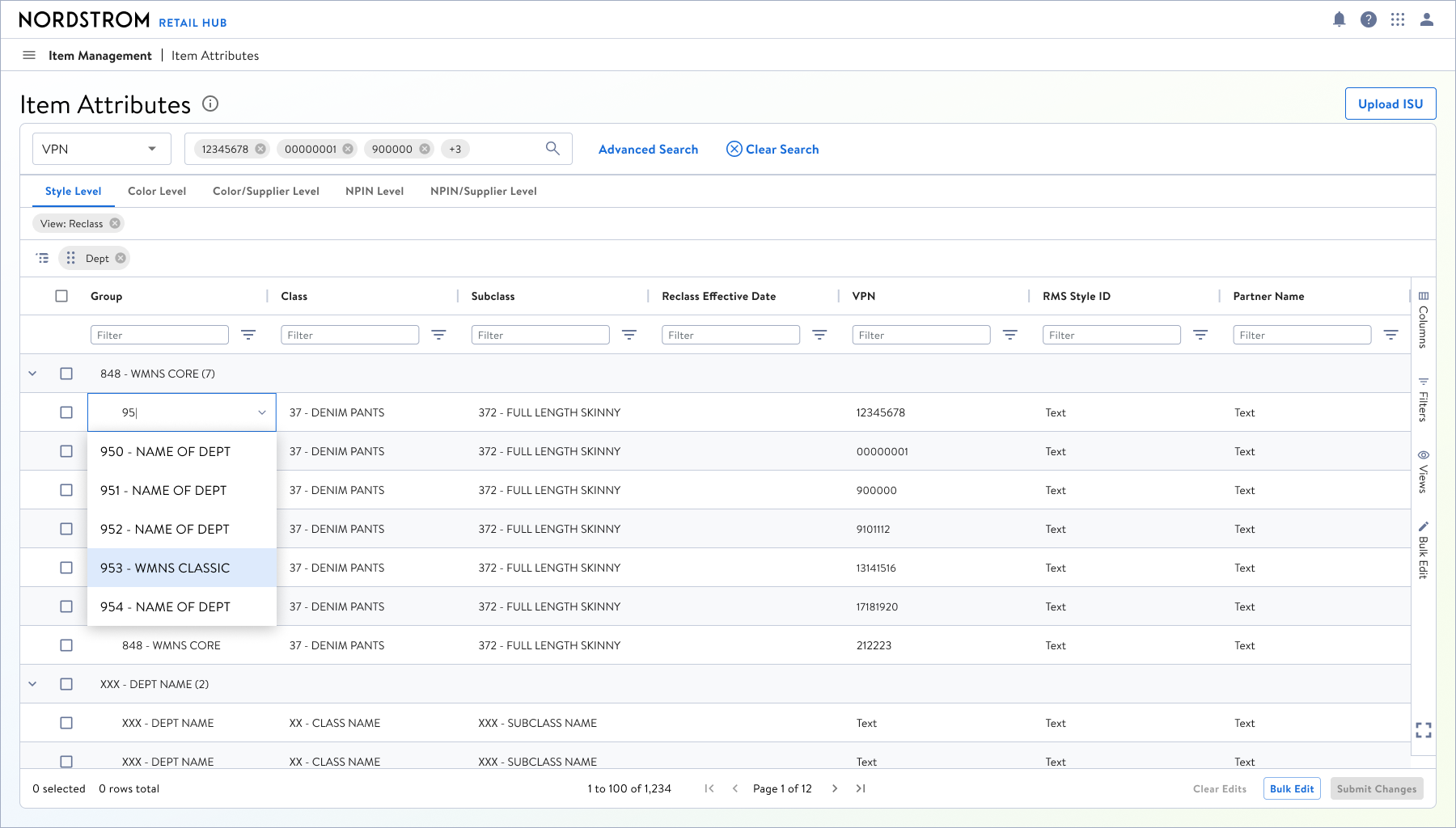
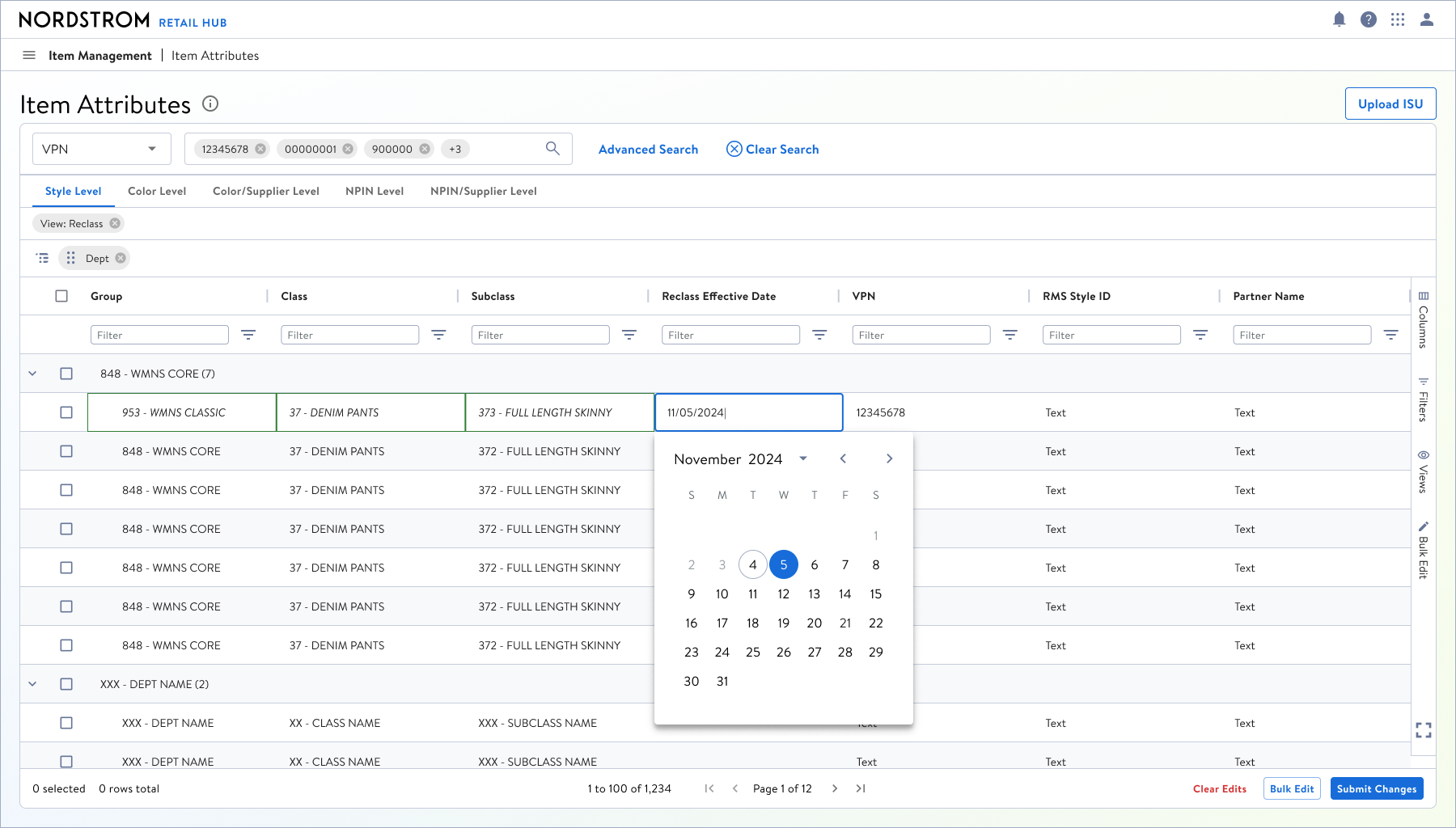
Concept 2: Direct cell-edits, great for one-off changes
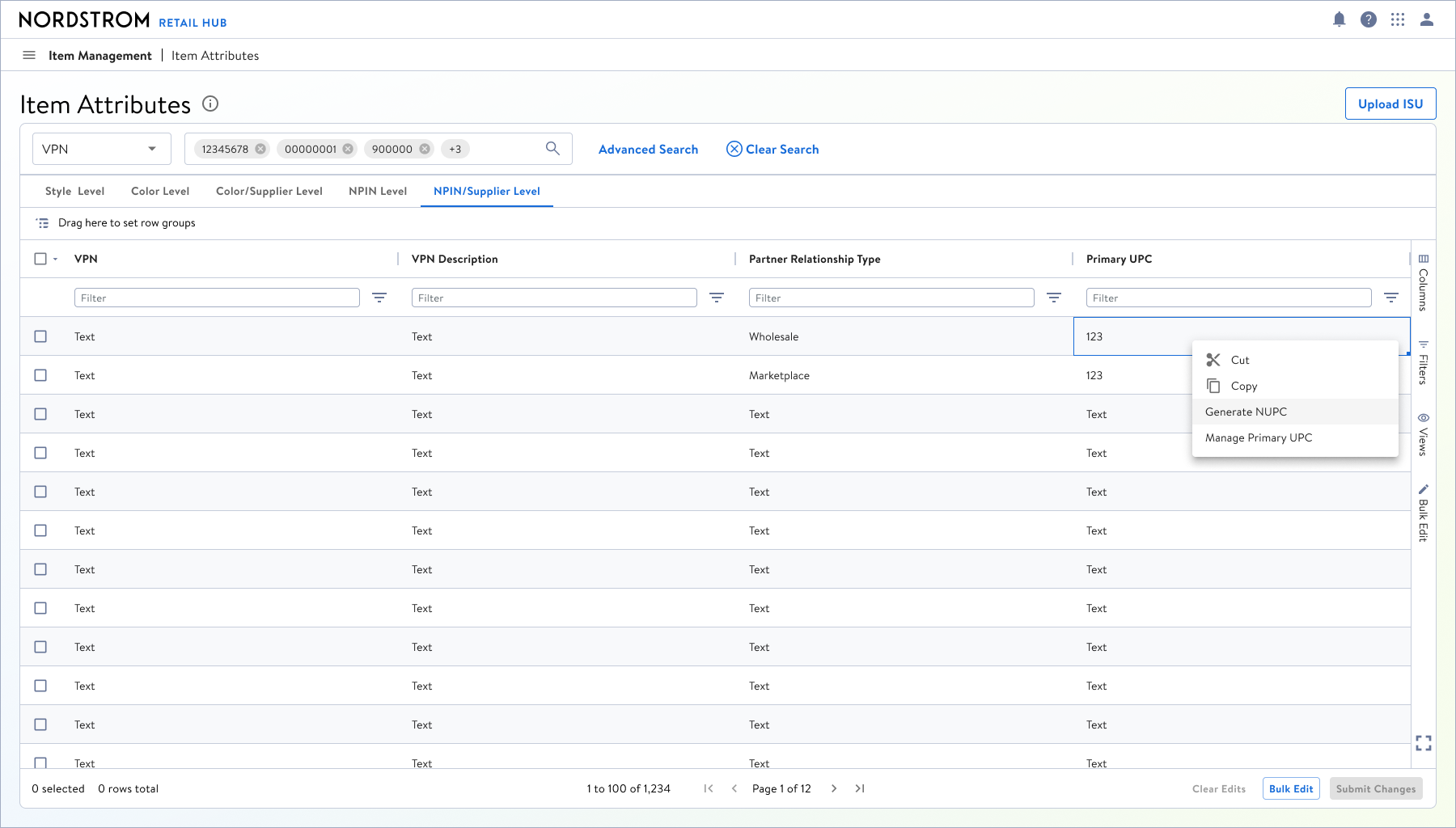
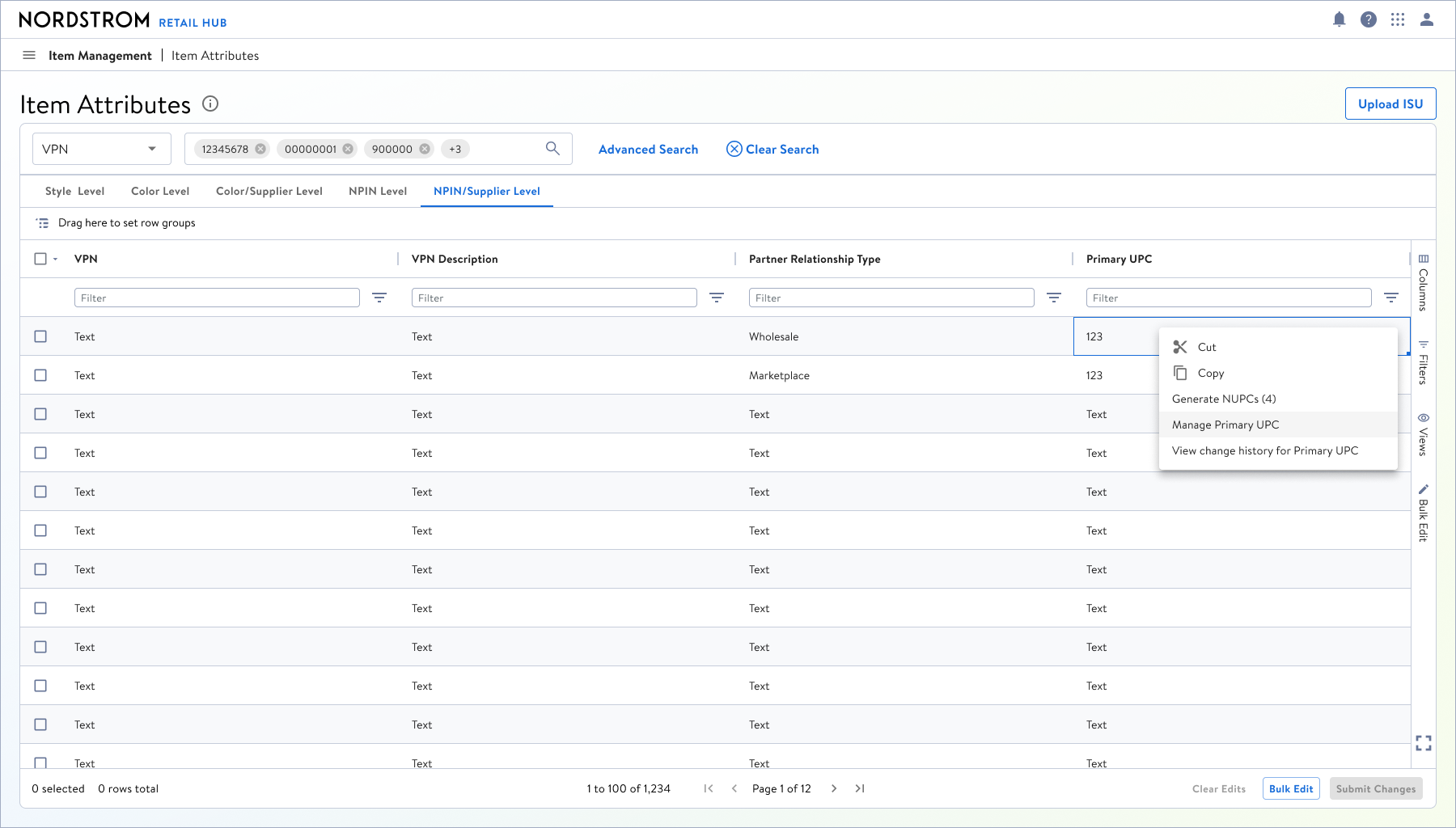
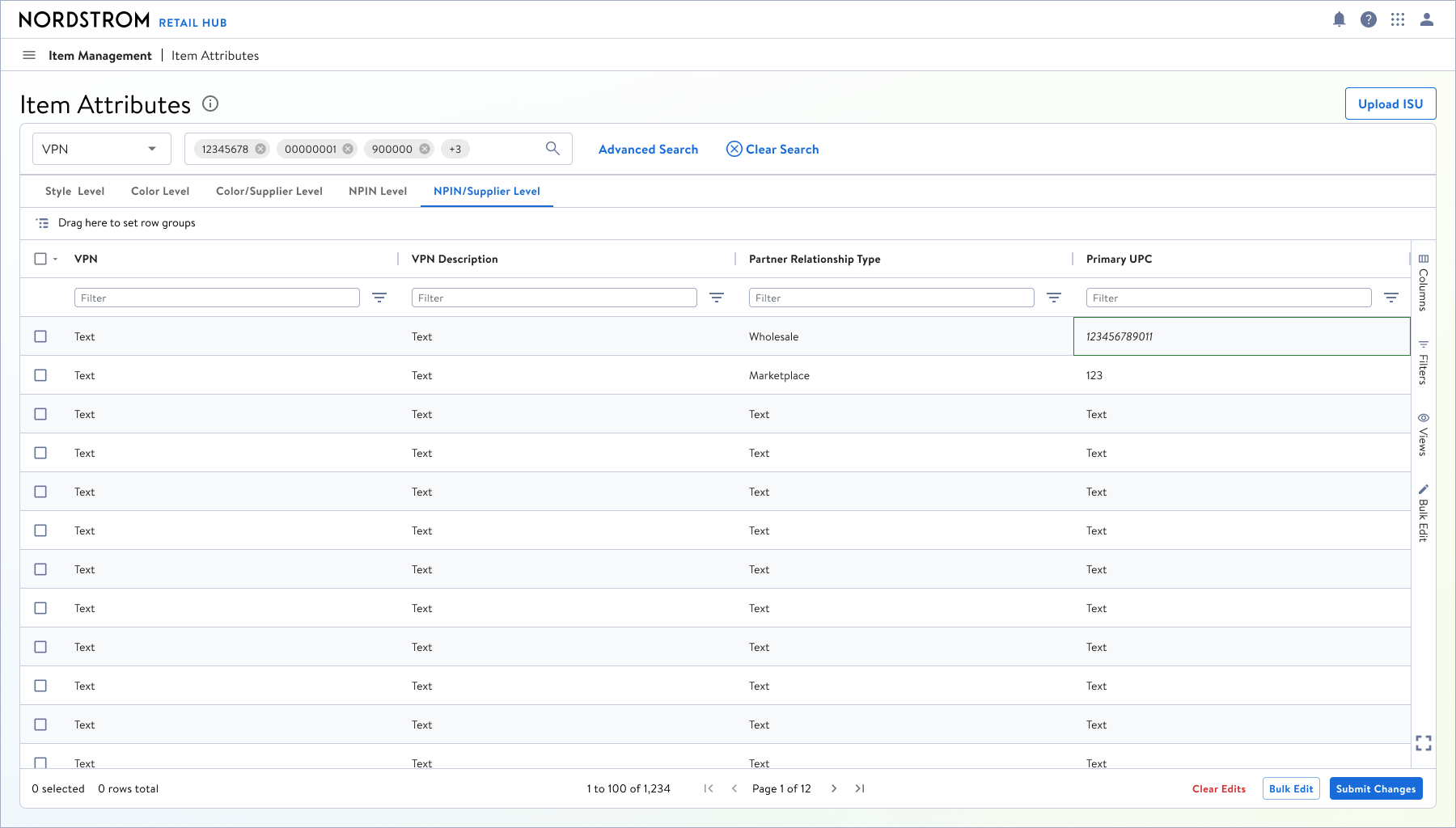
Generating a new NUPC (Nordstrom UPC)
My Role: UX Designer II, owning the Item Management application and experience.
Tools: Figma
Artifacts: User flows, low-fidelity comps, low-fidelity prototypes in Figma
Team: The Merch Platform/Retail Hub UX Team consists of 5 designers, 2 UX researchers, and 2 content designers.
DESIGNING TASK WORKFLOWS
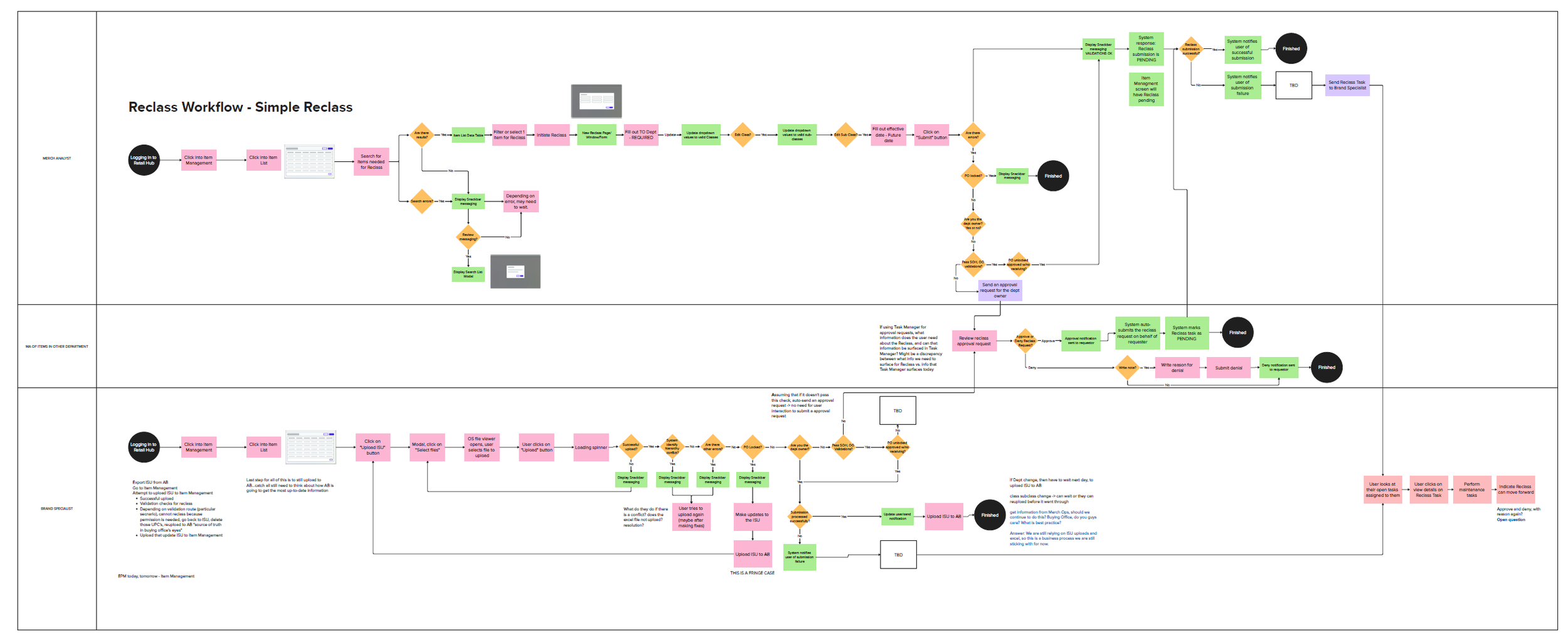
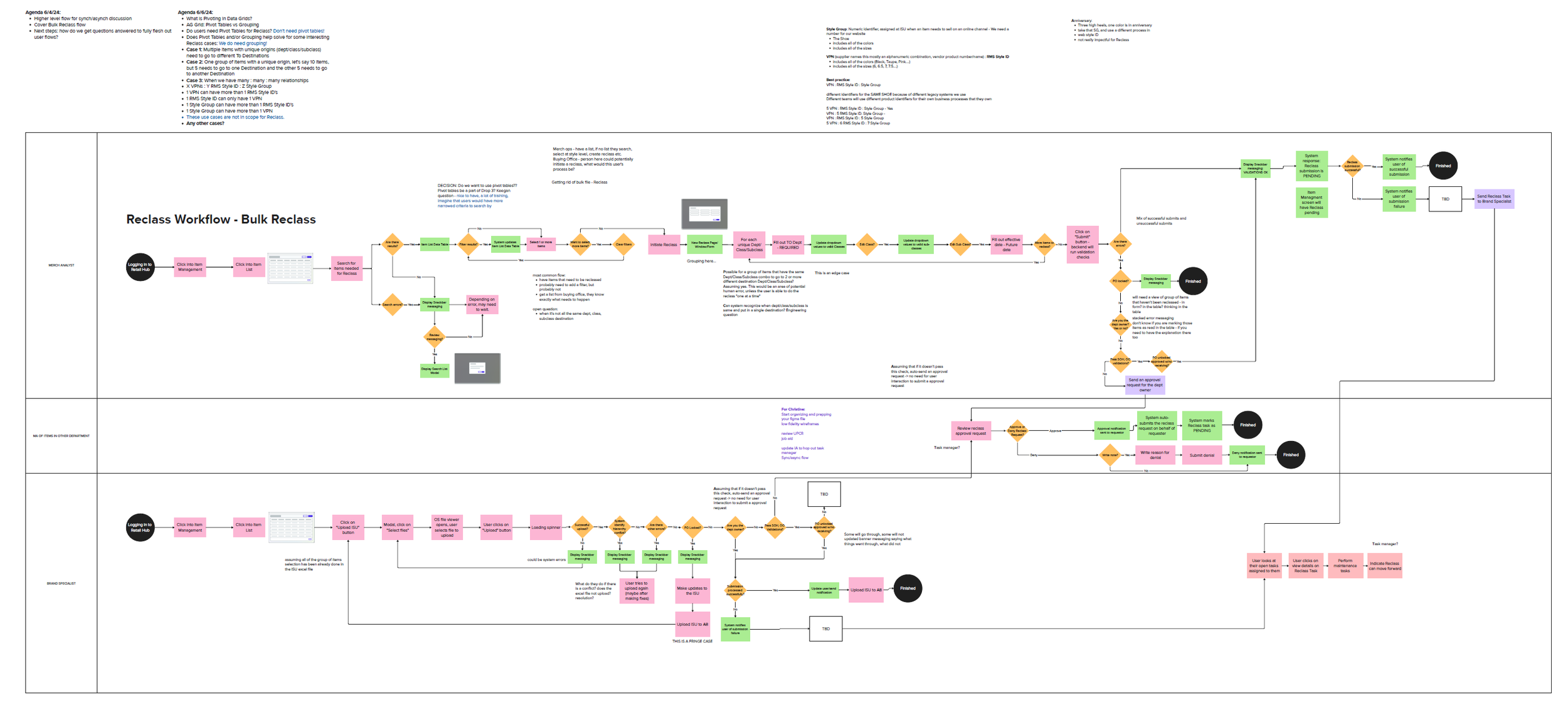
Biggest challenge in designing new workflows for PIM was to translate business task flows into real, concrete user flows that captured user actions and system responses. Below are images of all of the user flows I created for each of the complex maintenance task, minus Style Group Management.
Reclass flows
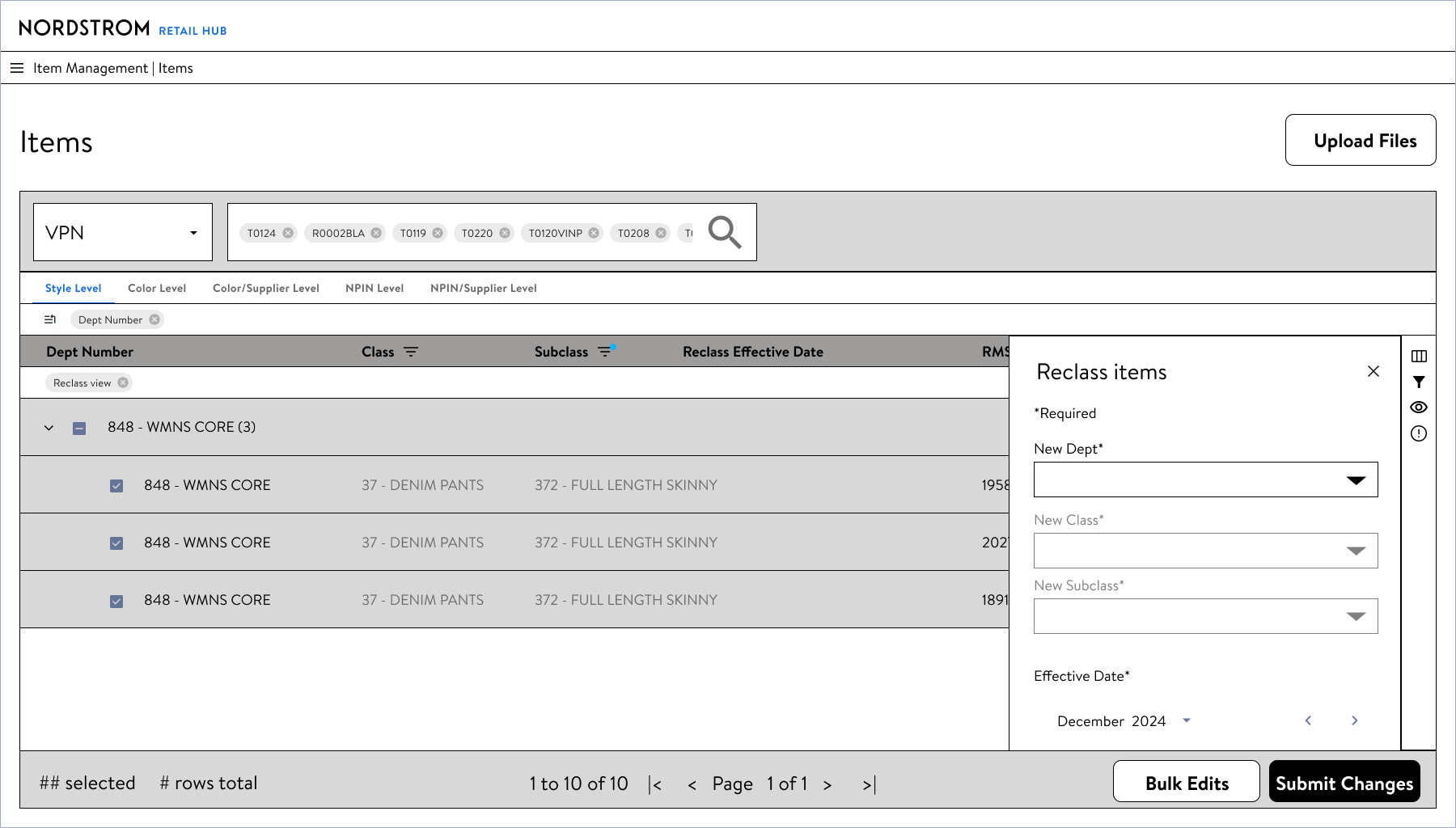
A Reclass task is when a user is tasked with moving a product from one product category, into a different product category within Nordstrom’s taxonomy and product hierarchy (think Department, Class, and Subclasses). Reclass is most often used when one or many products are listed or categorized in the wrong department/class/subclass.
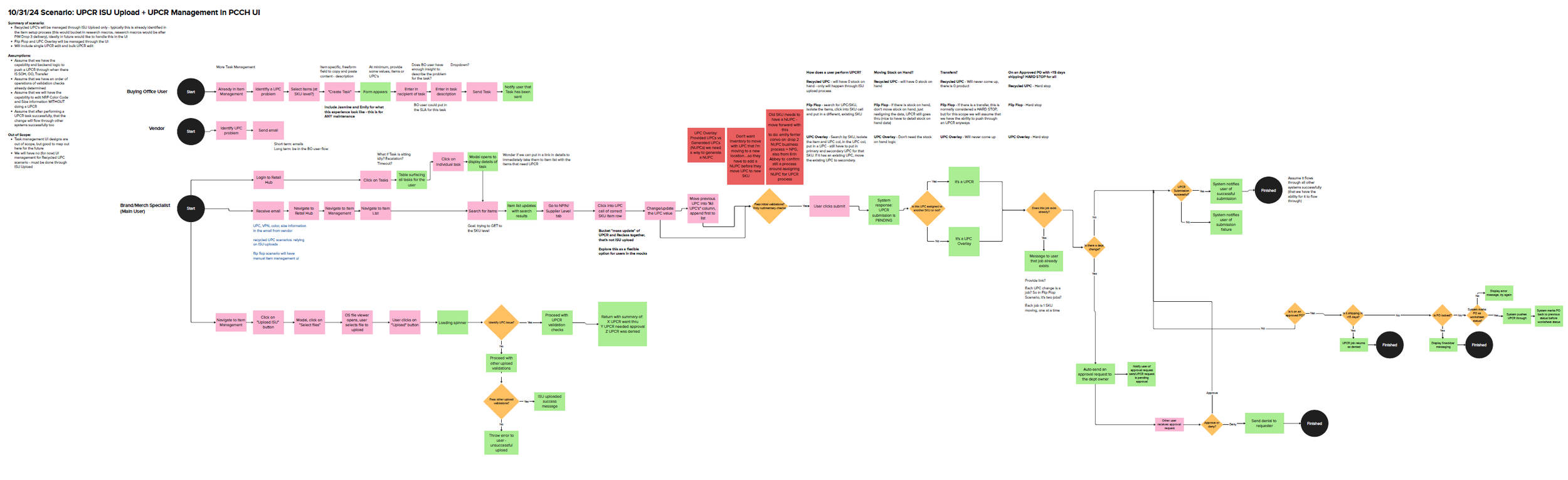
UPC Reassignment flows
A UPR Reassignment is needed because sometimes, product information such as size or color can be assigned to the wrong UPC/item. There were 3 main scenarios that require a UPC reassignment that I needed to design for: A UPC overlay, a flip flop scenario, and recycled UPC’s (when a vendor/supplier is reusing an existing UPC). Out of all of the complex maintenance tasks, UPC Reassignment was the hardest to understand, but funnily enough, it has a very simple user interface.
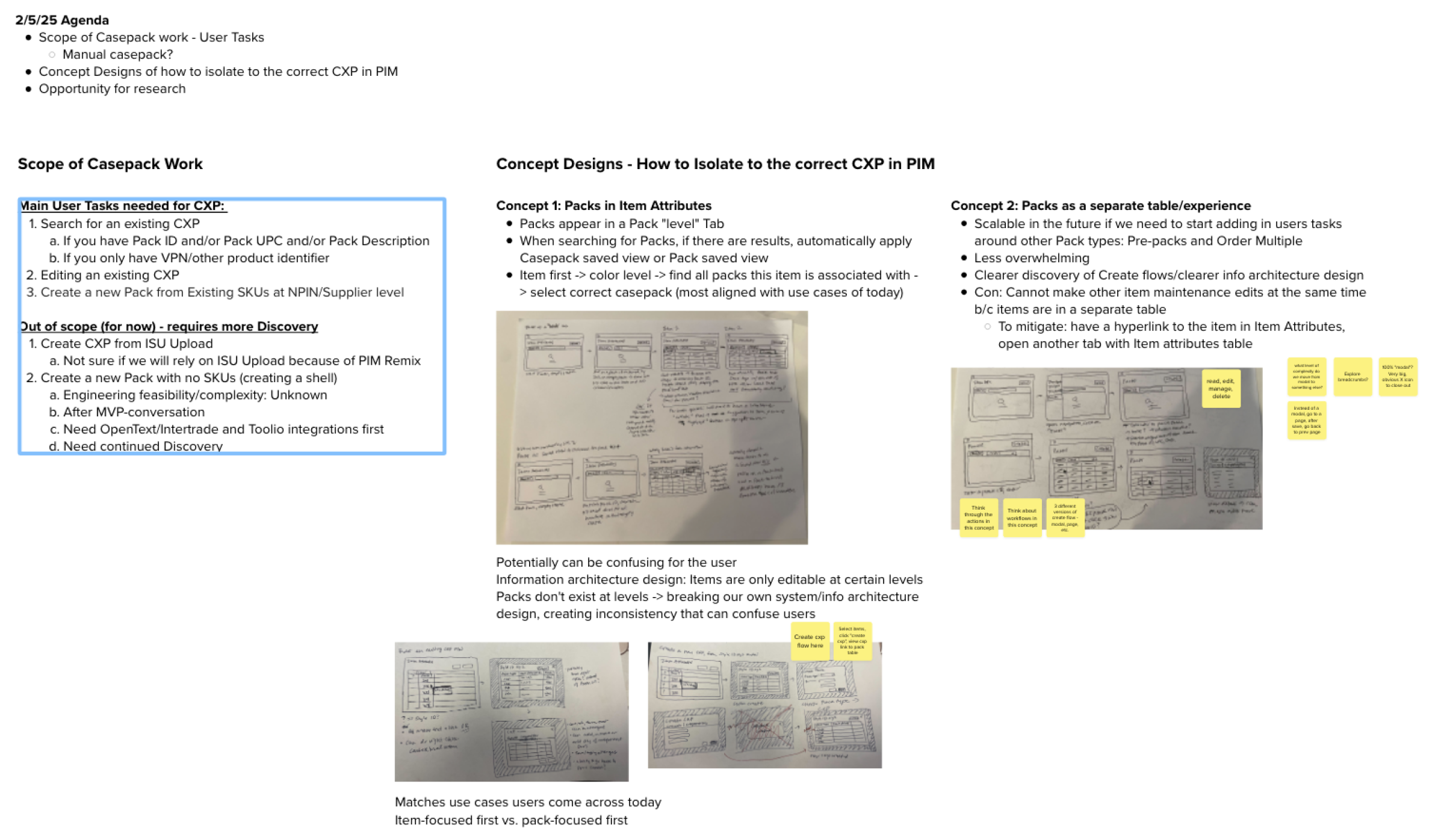
Casepacks flow
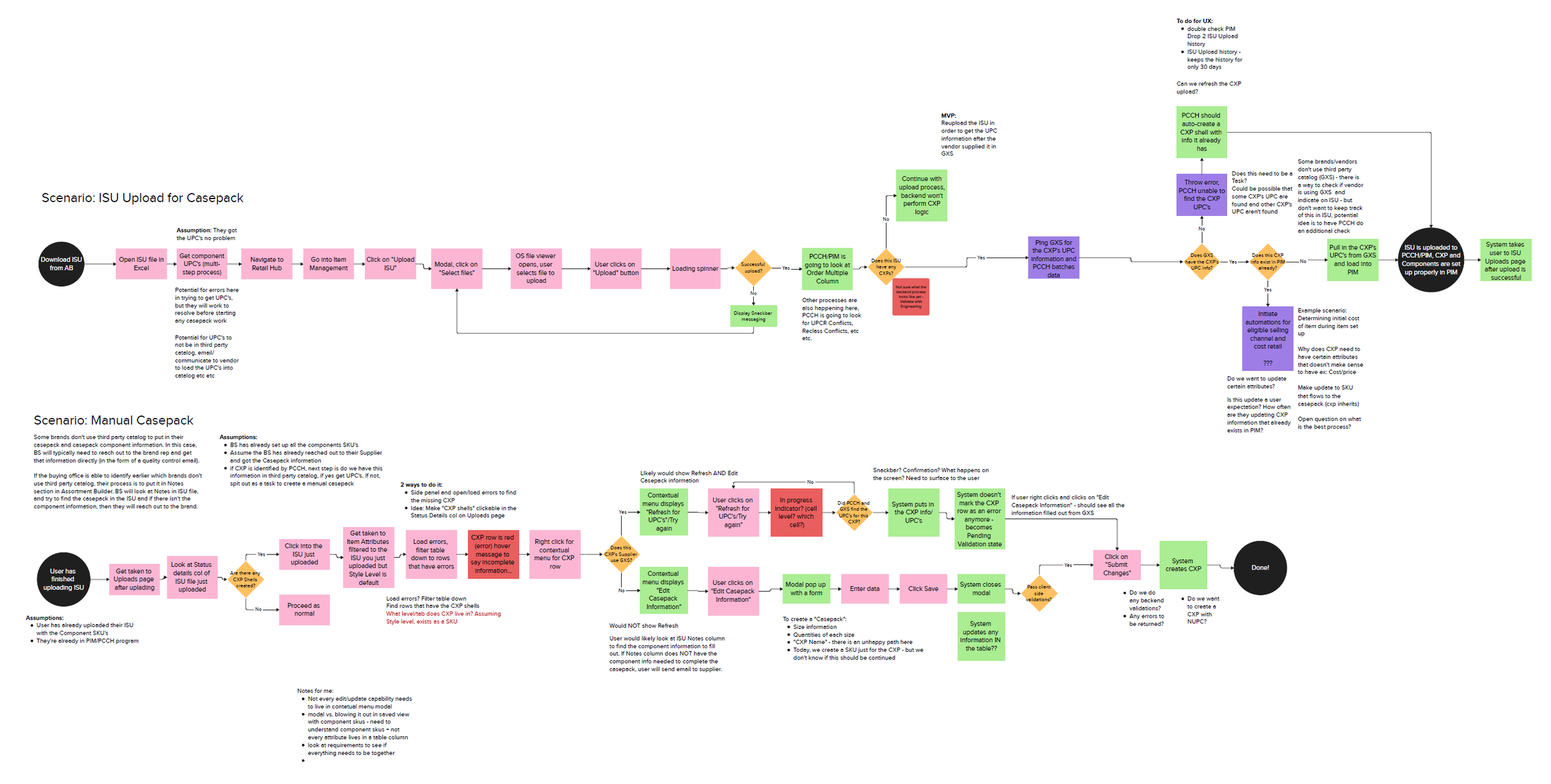
This flow maps out an ISU upload to Nordstrom’s PIM system for casepacks and their components. The second flow is a scenario for when we are dealing with a “manual casepack” - a flow designed for when a vendor/supplier is not able to use a third-party program to upload their casepack information to us, and it needs to be manually inputted.
Casepacks was ultimately descoped, because the business and PdM’s focused on revamping the structure and requirements of Casepack information in PIM. But, I created two different concepts with this new information structure to allow the next designer to easily pick it up.
WIREFRAMES + CONCEPTS
Reclass - 3 different concepts
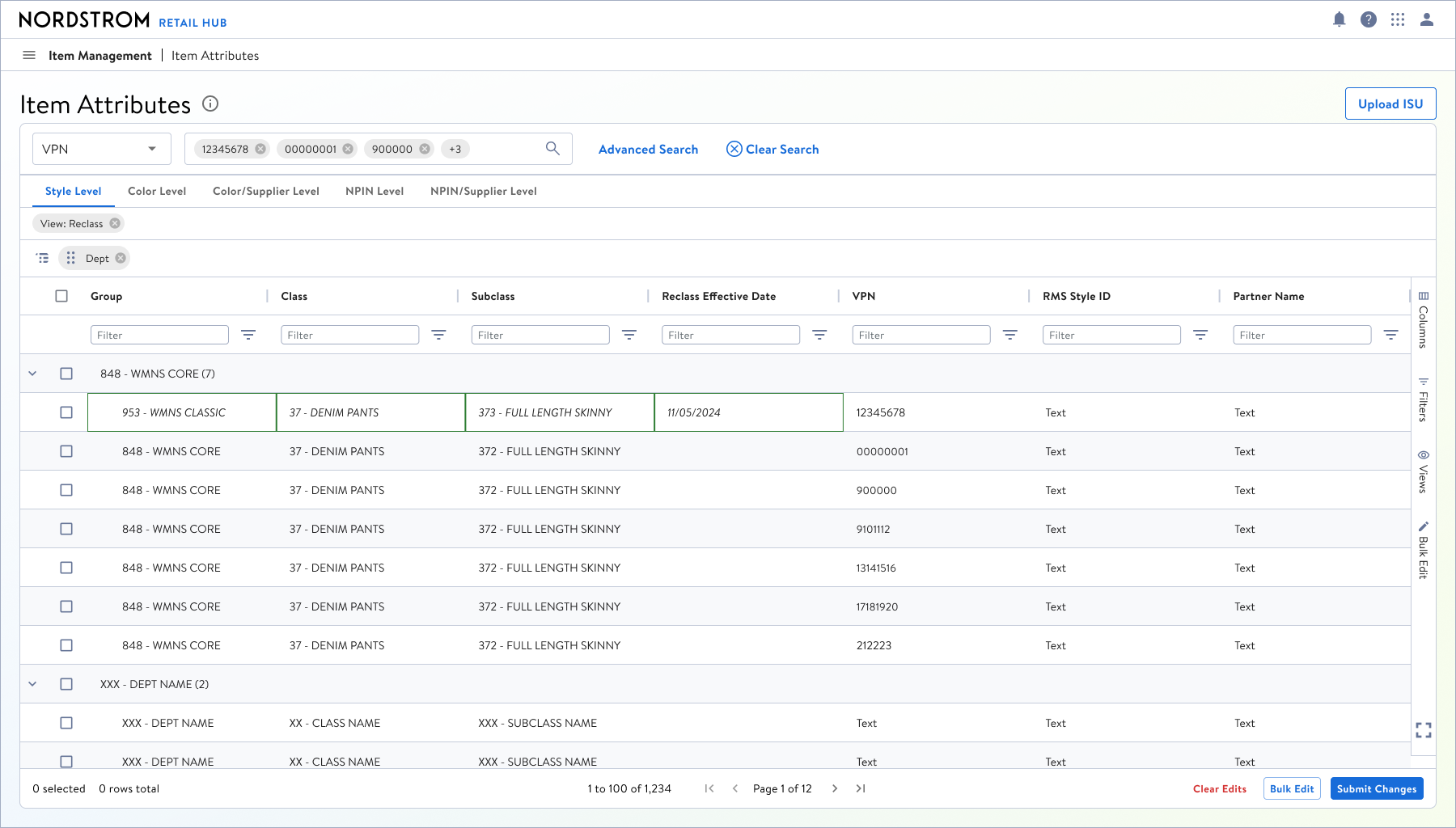
I explored 3 different concepts for how a Merch Analyst could initiate a Reclass from a dense table: 1) Selecting rows and using a form to reclass items 2) Direct cell edit for Dept/Class/Subclass columns, 3) Using saved views + filtering to quickly get to the Dept/Class/Subclass columns.
Concept 1: Searching & filtering for the correct items and then reclassing items using a side-panel form.
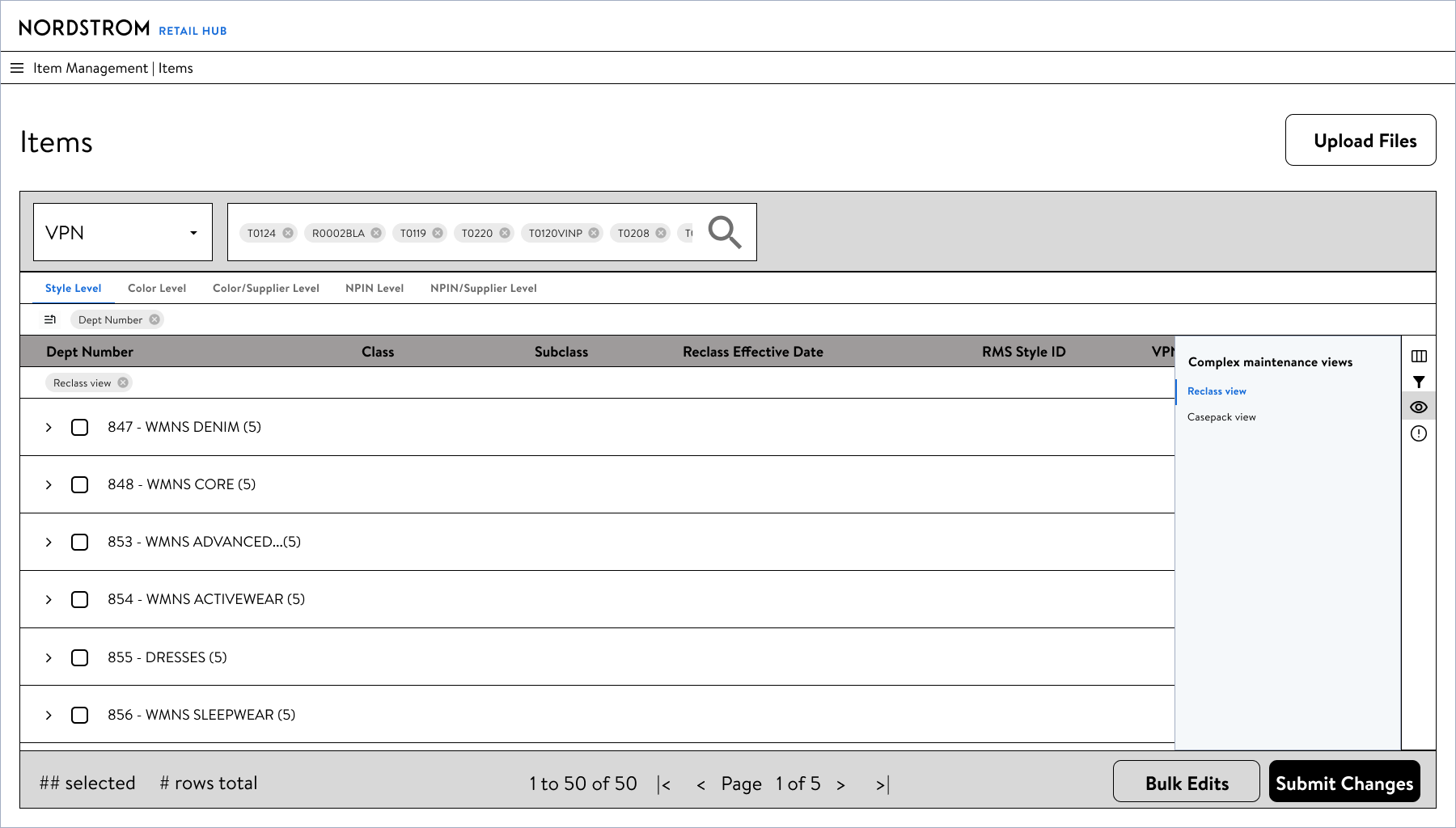
Concept 3: Using a Saved View to quickly surface the Dept/Class/Subclass columns, and using filtering to get to the correct items, before using the side-panel form to perform a reclass.
UPC Reassignment
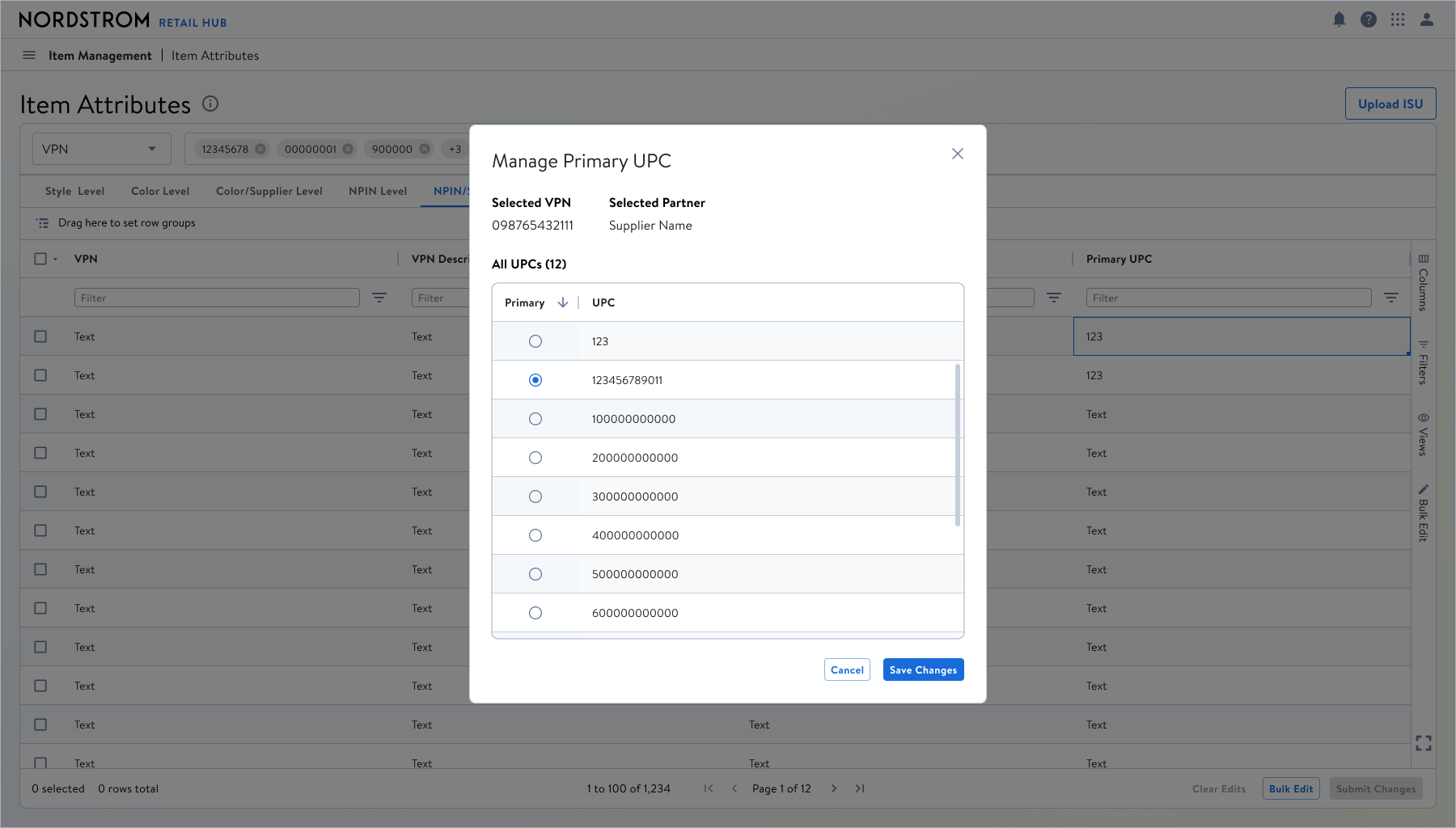
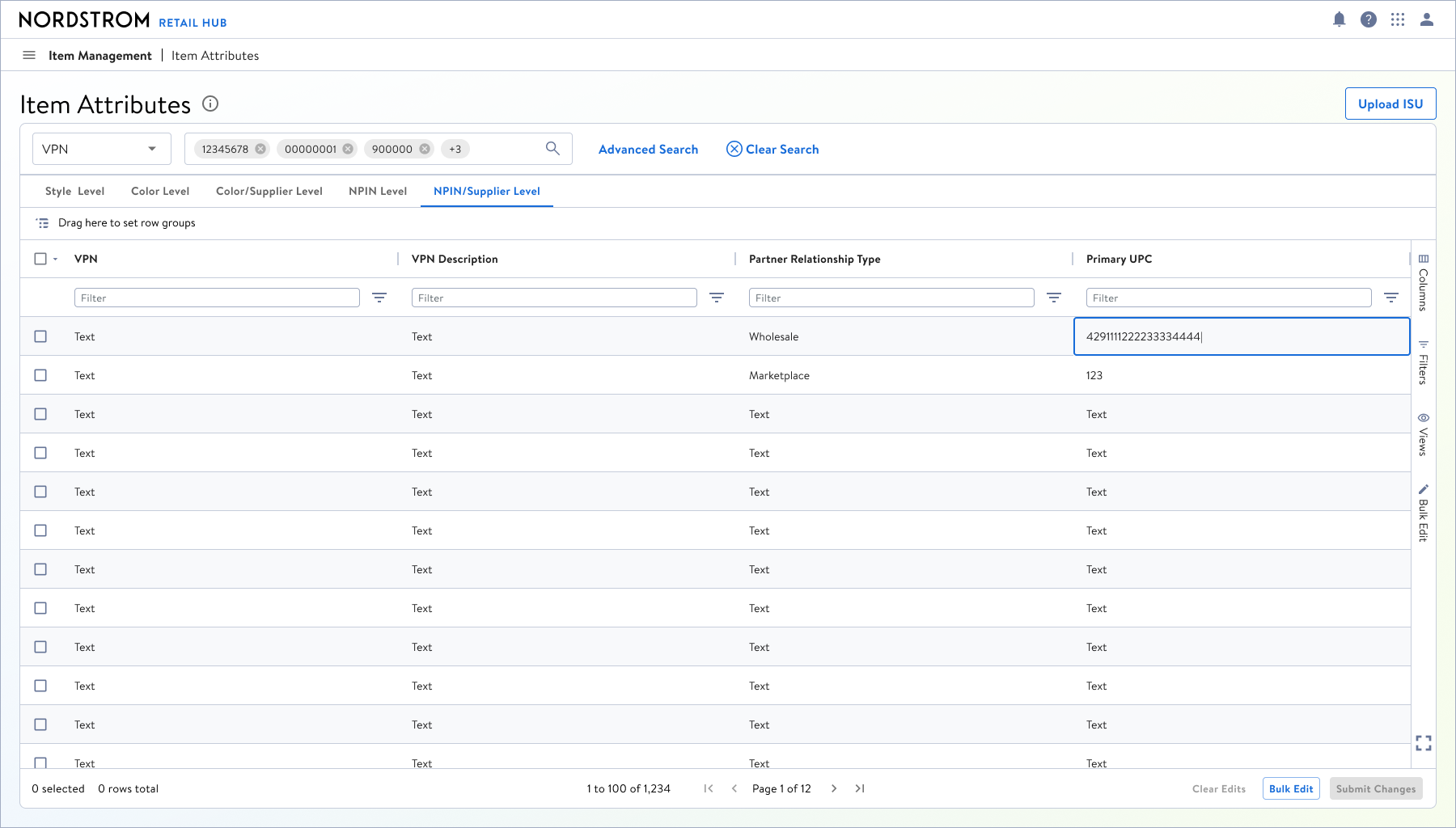
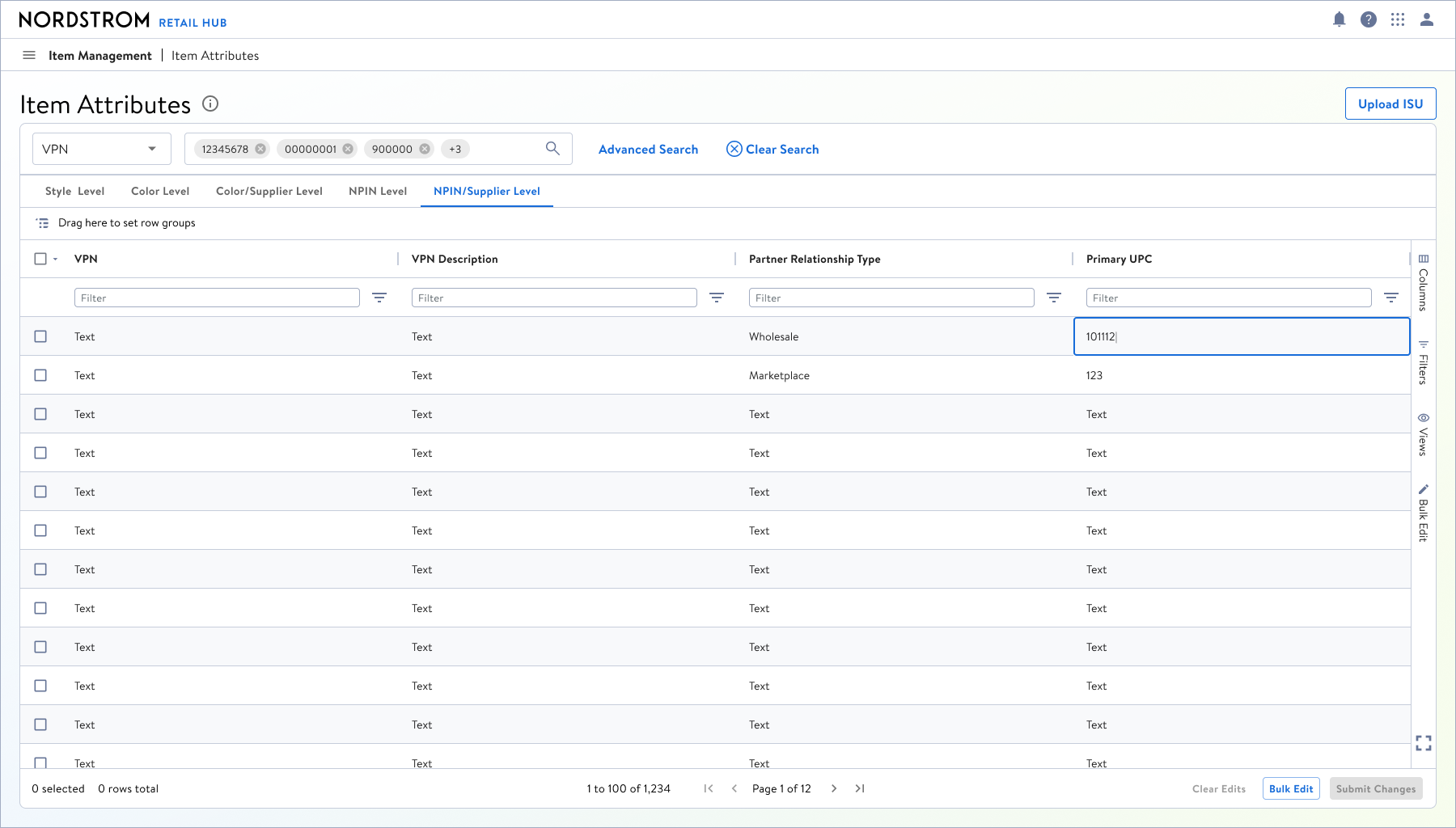
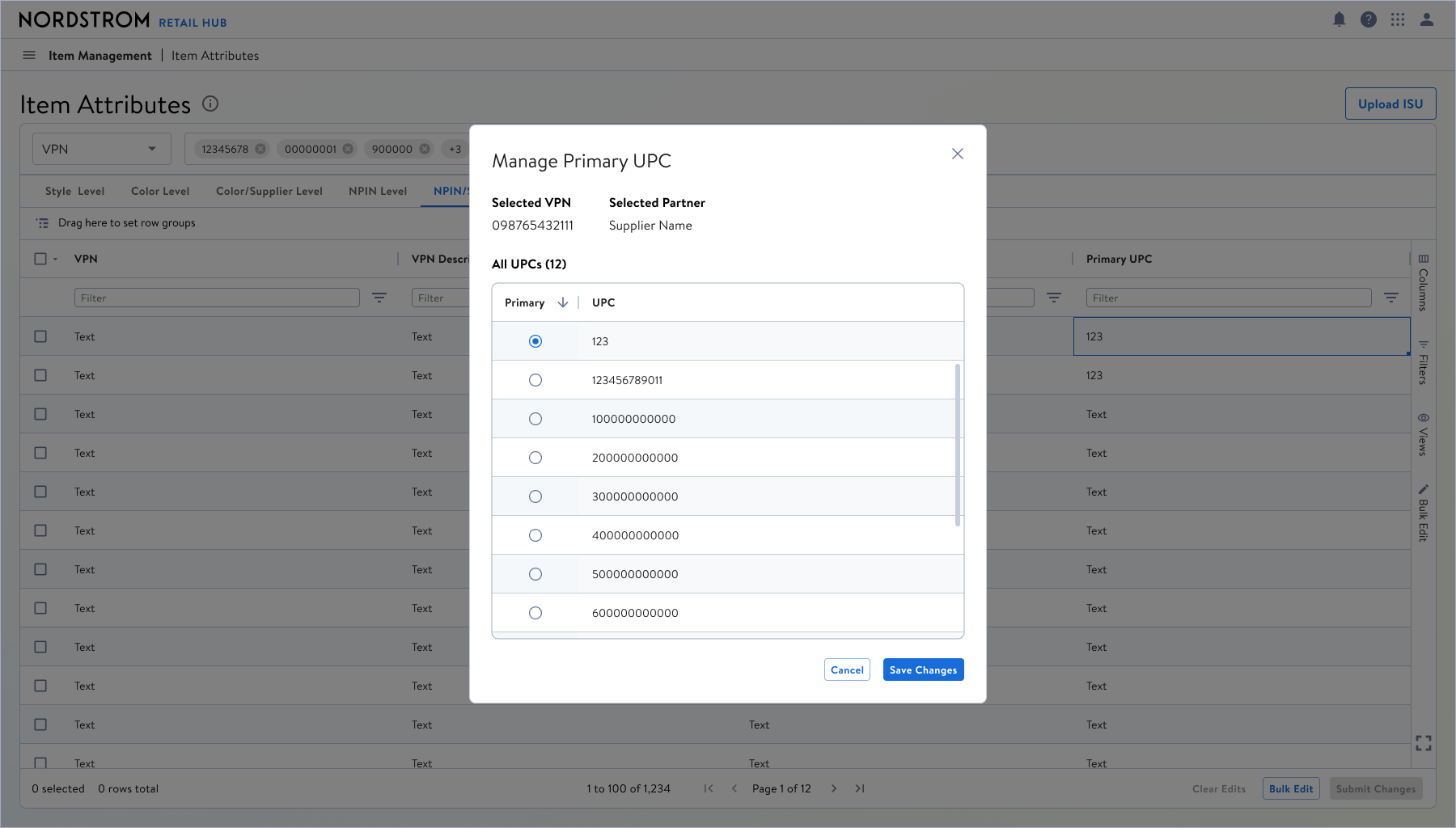
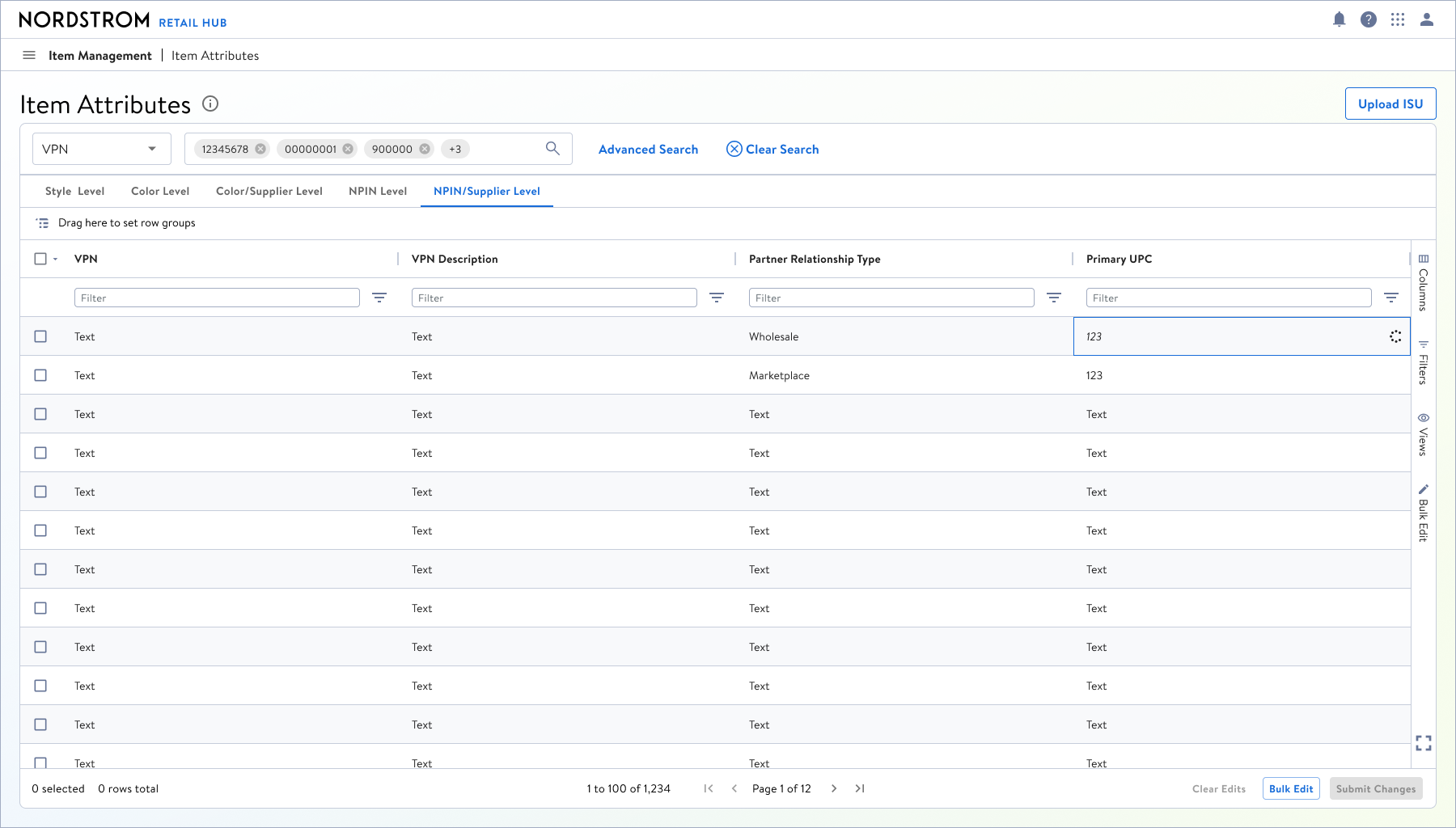
UPC Reassignment workflows ended up being the easiest to design for, because most of the time it meant editing a cell directly to change an item’s Primary UPC. Either change it to an existing one (and then change the other item), or generating a new UPC, or an old UPC that might not have been used. For these comps, we decided that going straight to high-fidelity comps made the most sense, capitalizing on our established design system, table design, and table patterns.
Direct Cell Edit for Changing UPC Values
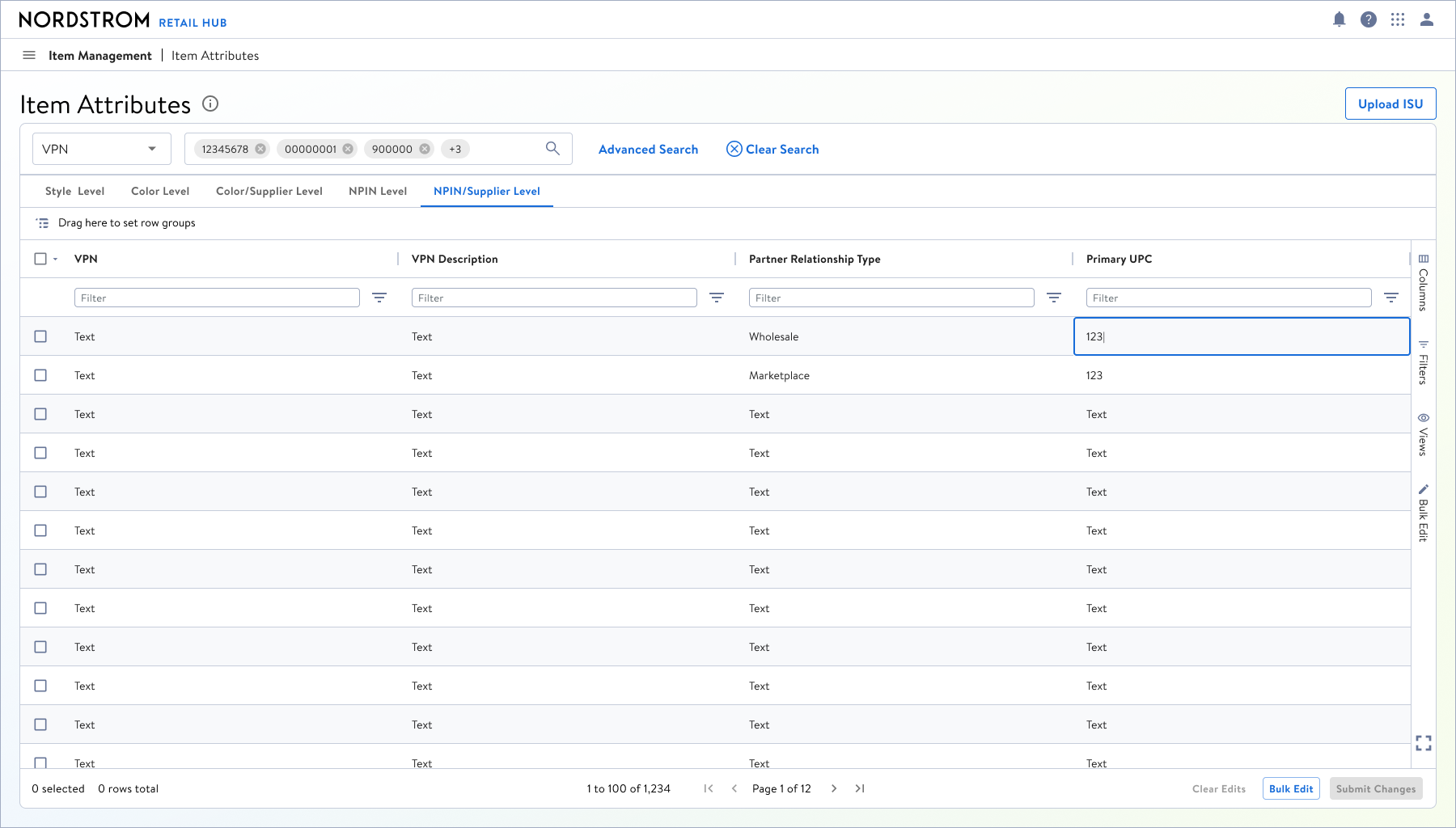
Choosing an existing UPC
Reclass Final Comps
Using Saved Views + Side Panel Form
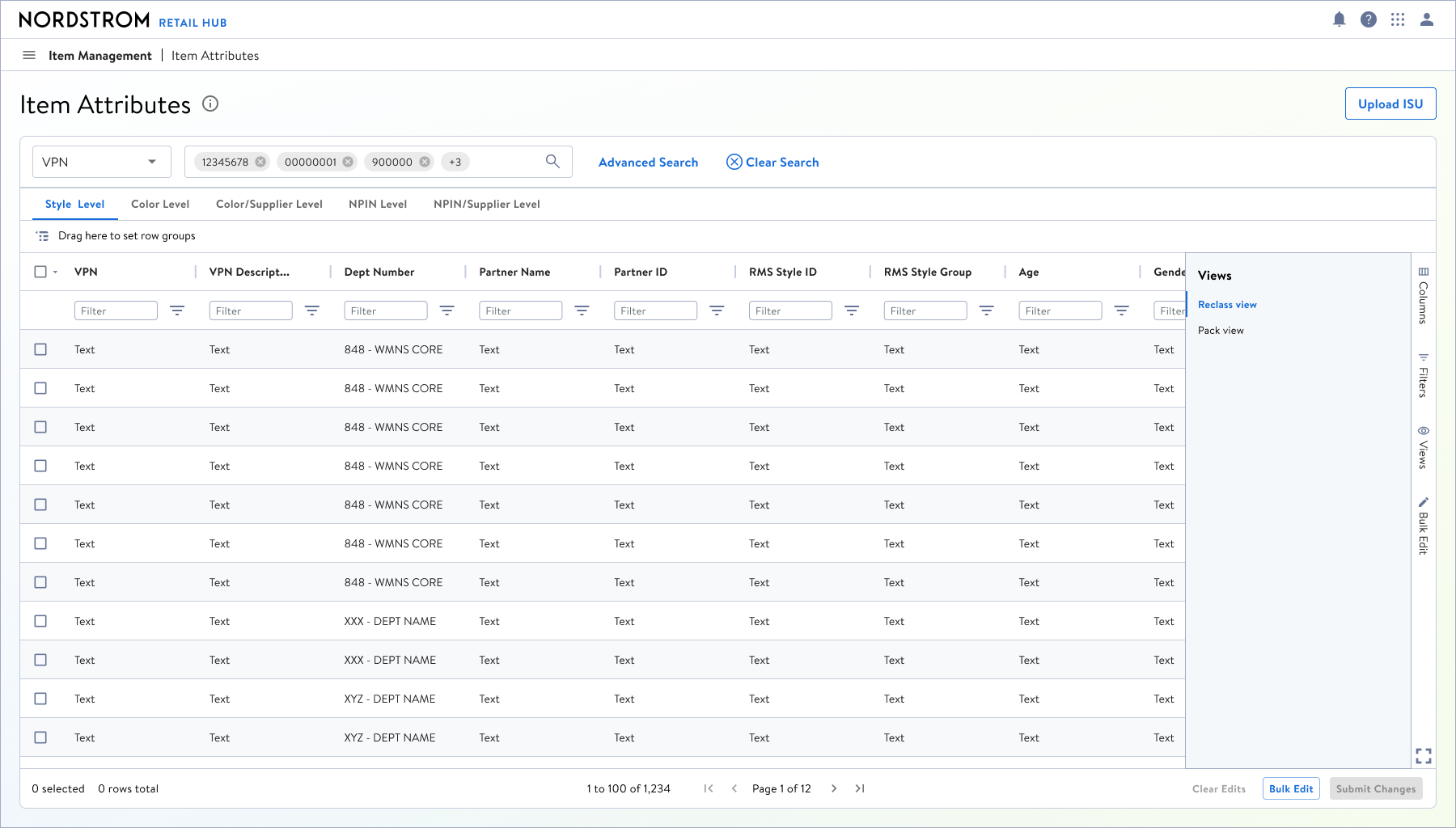
Applying the saved view to surface Dept/Class/Subclass columns
Direct Cell Edit
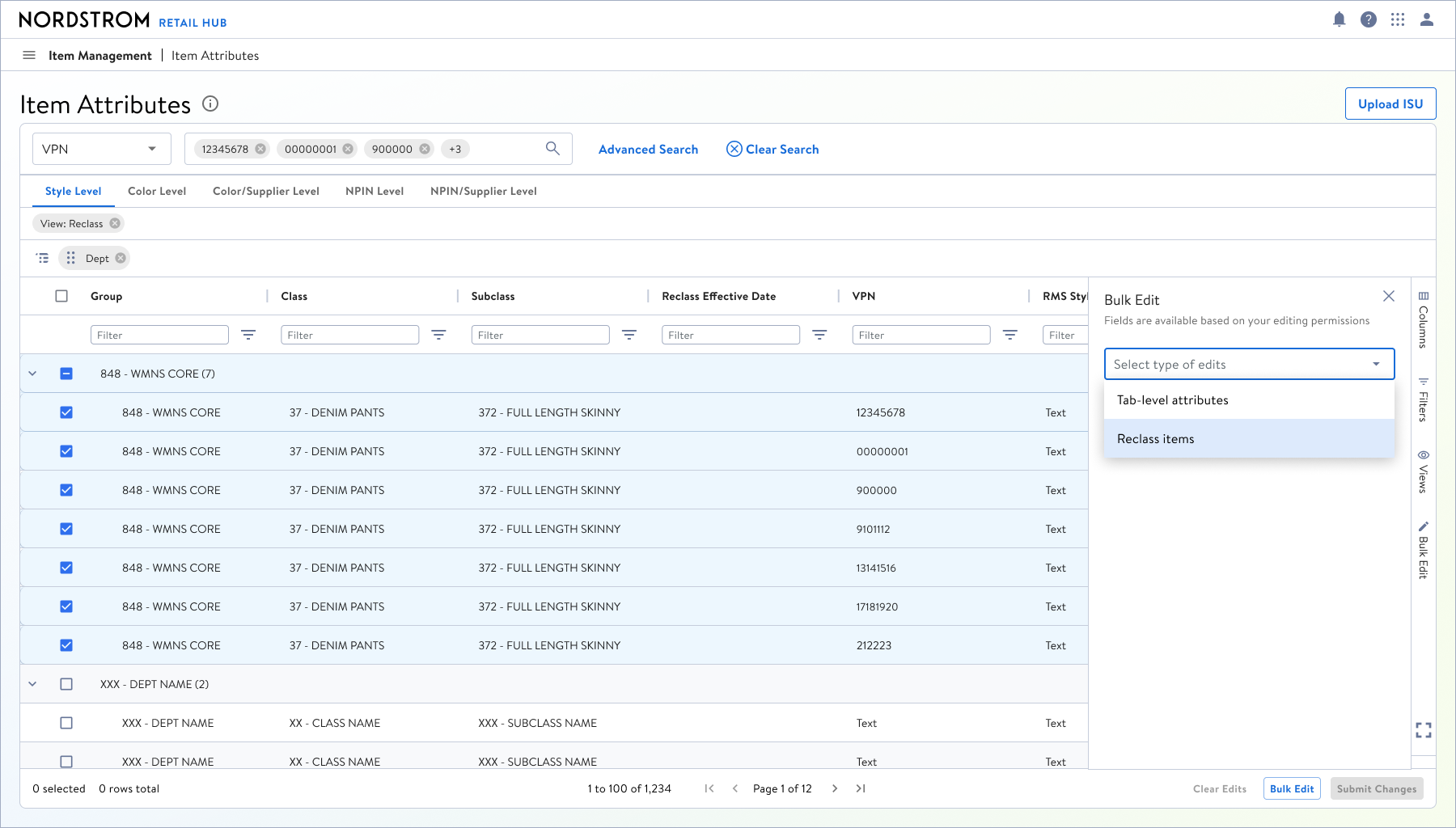
Selecting items and then opening Bulk Edit side-panel form
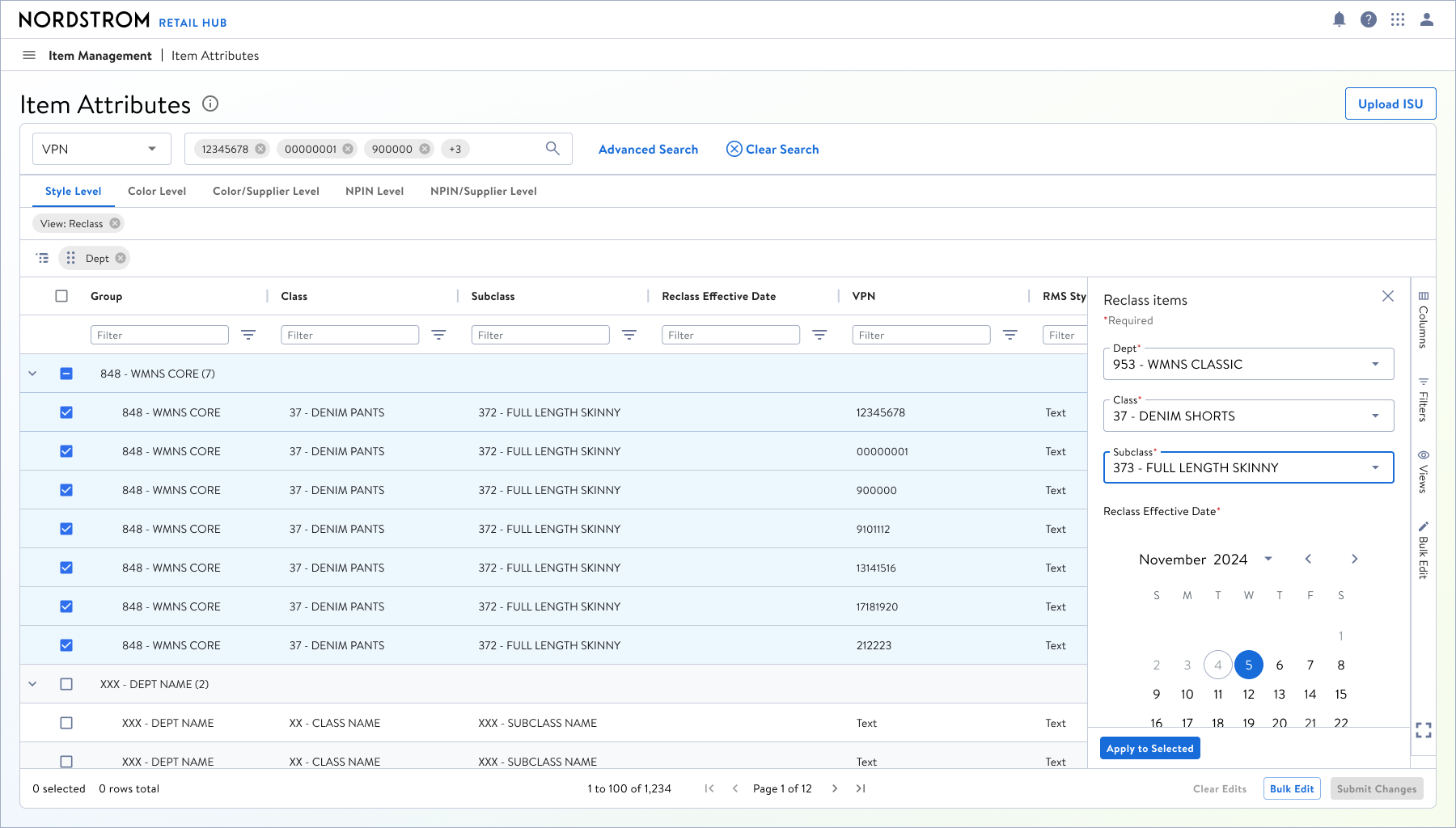
Filling out the Reclass form
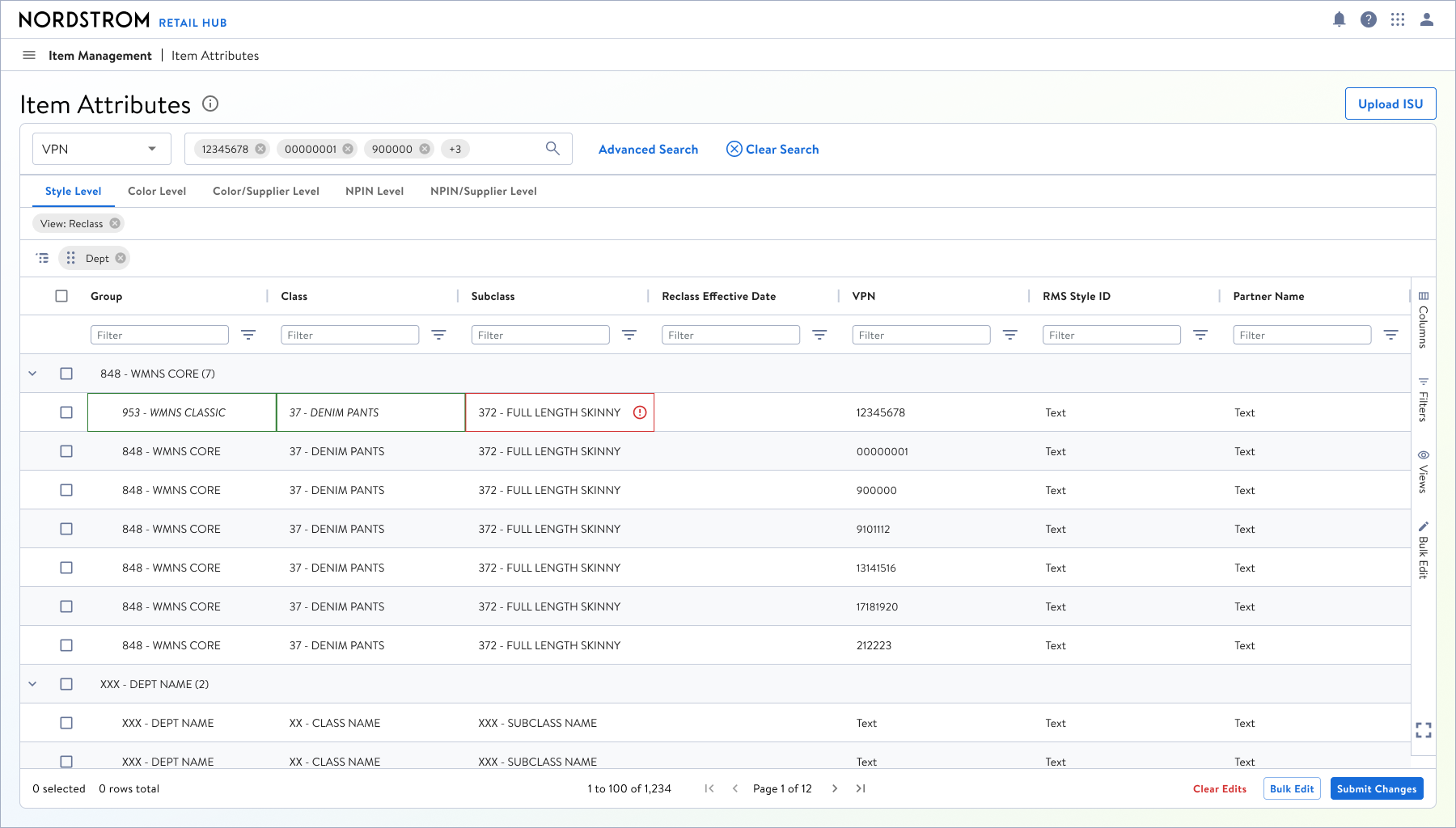
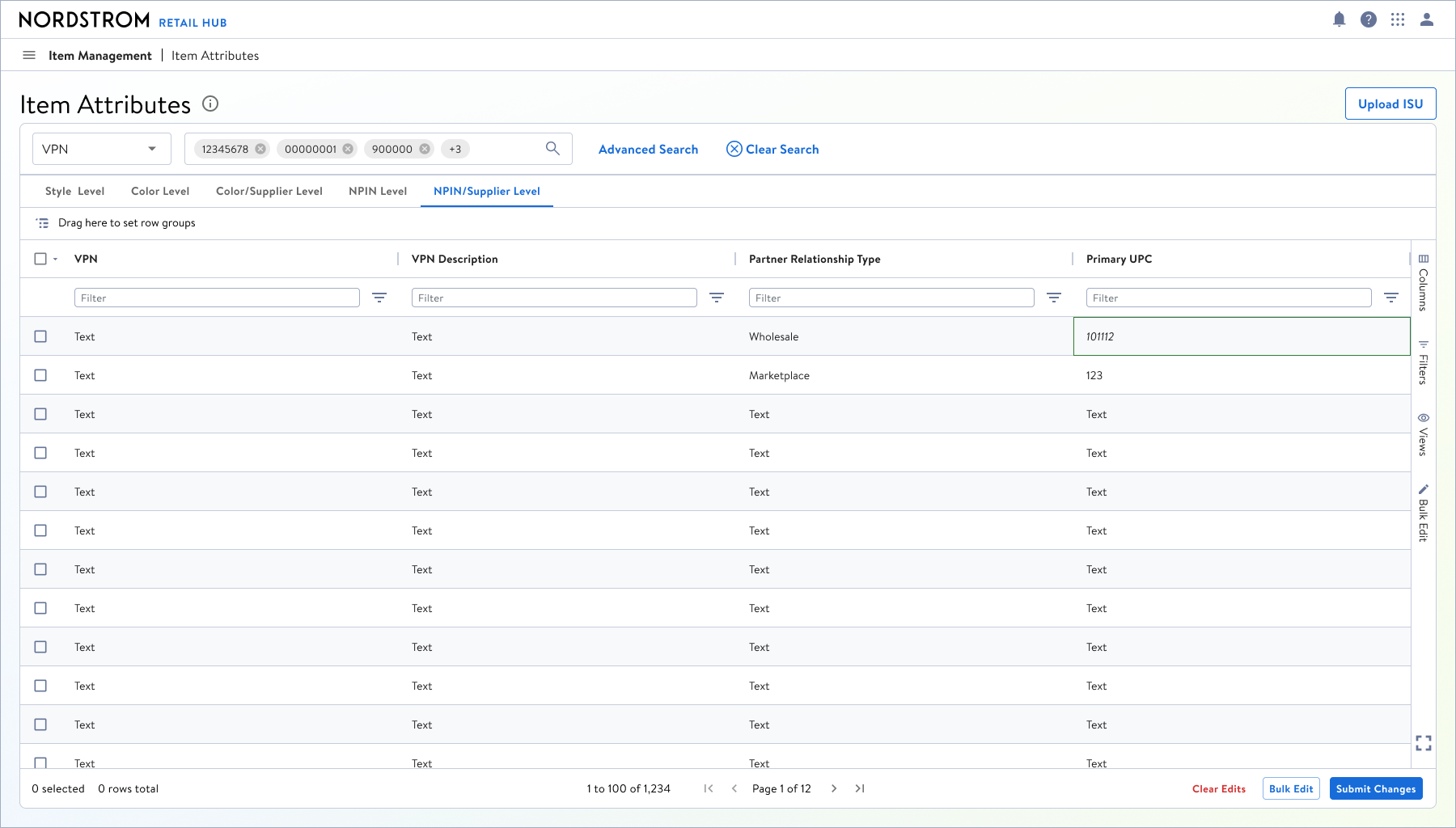
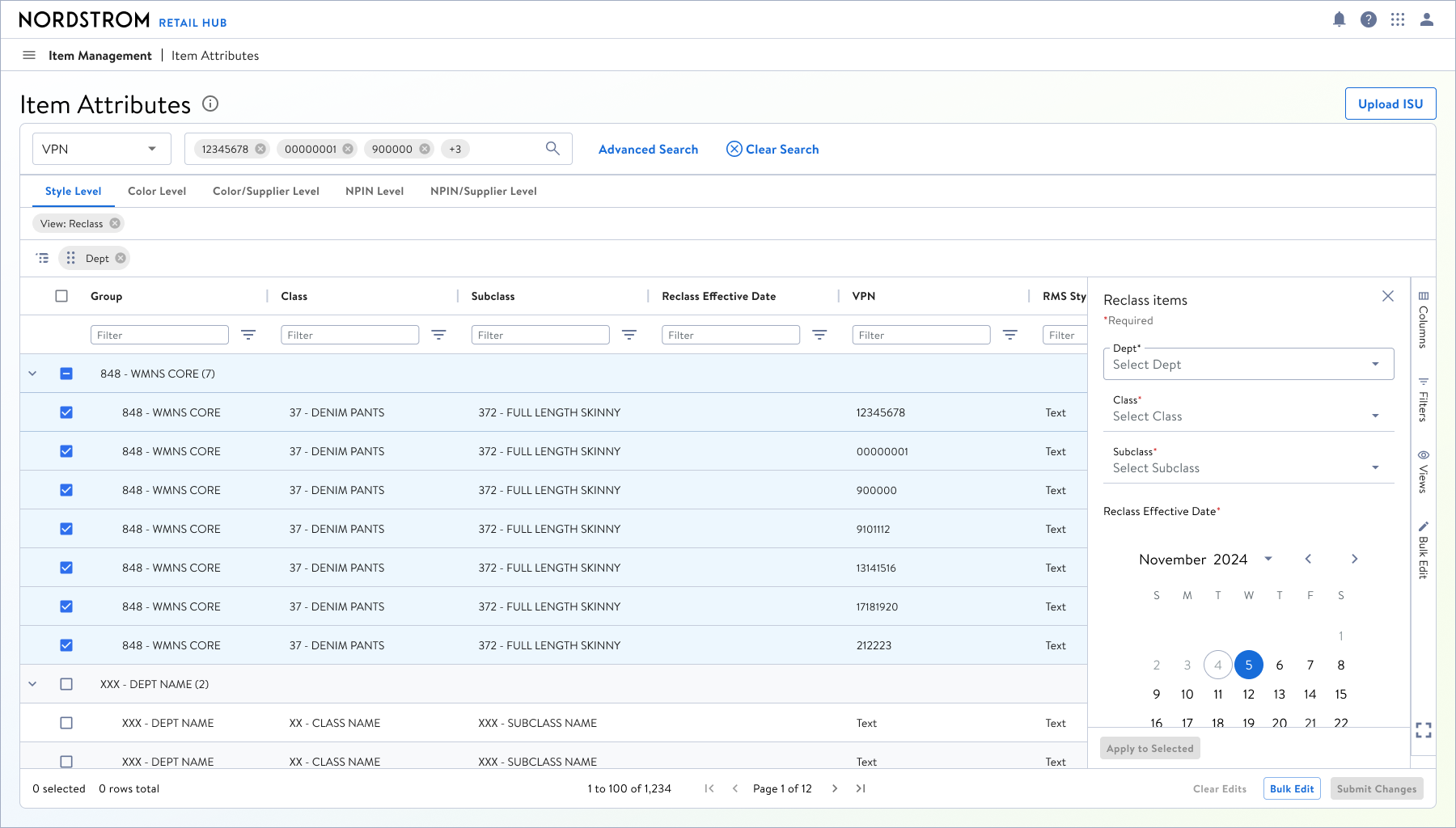
Getting to the Reclass form
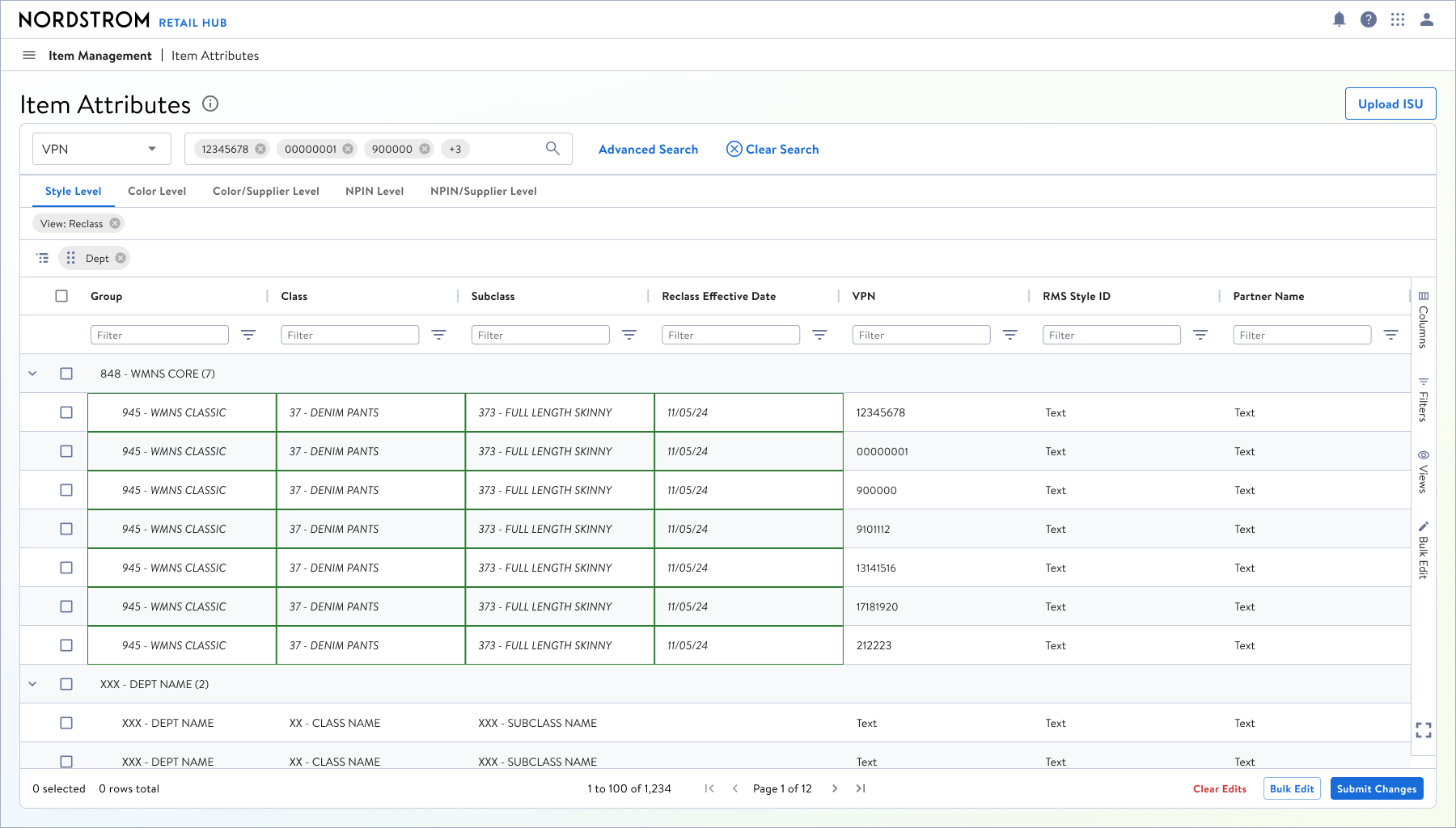
Submitting the changes and applying them
UPC Reassignment Final Comps
Look in the above section for final comps, as we decided that it would be best to go straight into high-fidelity comps.
FINAL DESIGNS

Casepack Concept
Casepack never moved past the low-fidelity exploration phase because the business not only changed the data structure for how Casepack information is stored, but by the time our team started Casepack work, the business took a pause on all PIM development to restructure their timelines.